Minesweeper online, free with no ads: beginner, intermediate and expert boards, a daily board, a safe first click, chording and leaderboards.
- Genre
- Puzzle
- Players
- Single player
- Devices
- Phone and desktop
- Daily
- A new puzzle every day
- Price
- Free, plays in the browser, nothing to install
How to play
Tap to dig, switch to flag mode or long-press to flag. Desktop: left click digs, right click or F flags, click a number with all its flags placed to open the rest around it. Arrow keys move the cursor, Enter digs, Space chords, M toggles the mode, Z zooms, Esc opens the menu.
New in v1.3
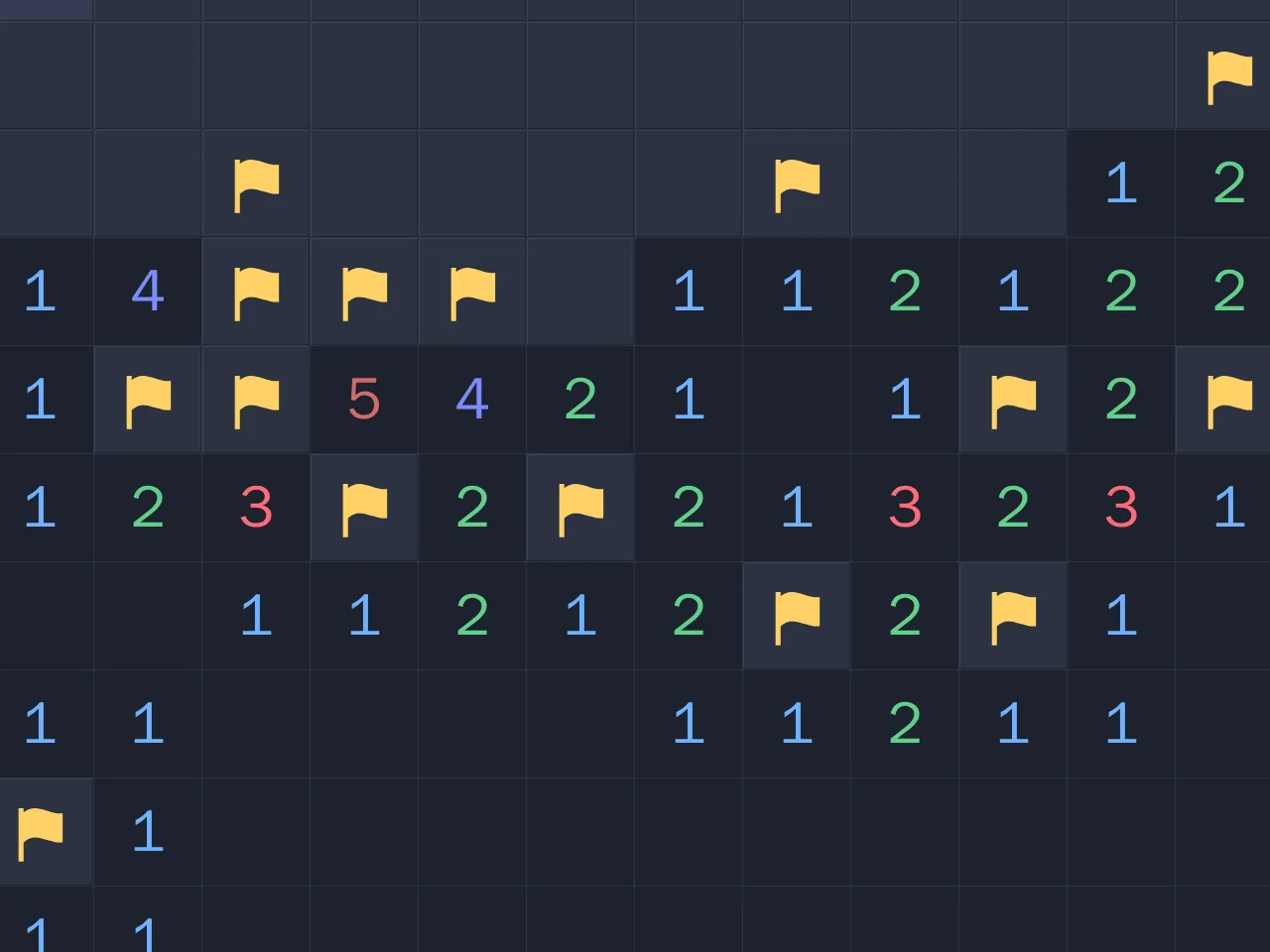
A new catalog cover, drawn by the game itself.
How to play
Minesweeper is a logic game played on a grid of covered cells. Some cells hide mines. Your job is to uncover every cell that is safe.
- Tap or click a covered cell to dig it.
- If the cell is safe, it shows a number. The number says how many mines sit in the eight cells around it, counting diagonals.
- A cell with no mines around it opens on its own, and so do its neighbours, so one dig can clear a large area.
- When you are sure a cell hides a mine, put a flag on it. Flags stop you from digging there by accident.
- Uncover every safe cell to win. Dig a mine and the game is over.
The counter at the top shows how many mines are left, based on the flags you have placed.
Strategy
Start in the open. Your first dig never hits a mine and always opens a region, so you have numbers to work with straight away.
Count the covered cells. If a number equals the number of covered cells around it, all of them are mines. A 1 with only one covered neighbour has its mine right there.
Clear around satisfied numbers. If a number already has that many flags around it, every other covered neighbour is safe. Chording does this in one move: tap the number and the rest of its neighbours open.
Subtract known mines. A 3 that already touches two flags behaves like a 1 for the cells that are still covered. Reduce every number this way before you look for patterns.
Learn the 1-2-1 and 1-2-2-1 patterns. Along a straight wall of covered cells, a 1-2-1 means mines sit under both 1s and the cell under the 2 is safe. In a 1-2-2-1, the mines sit under the two 2s.
Compare neighbouring numbers. When two numbers share covered cells, the difference between them tells you about the cells only one of them touches. If a 2 touches every covered cell that a nearby 1 touches, plus exactly one more, that extra cell is a mine.
Use the mine count at the end. With a few cells left, the number of mines remaining can rule out some layouts and settle the last guess.
Guess well when you must. Classic Minesweeper boards can force a guess. Pick the cell with the best odds, often a corner or edge cell far from high numbers, and guess early rather than late so a loss costs less time.
History
Grid games about hidden mines existed on home computers in the early 1980s. The version most people know was written by Robert Donner and Curt Johnson at Microsoft. It shipped in the Microsoft Entertainment Pack in 1990 and became a standard part of Windows with Windows 3.1 in 1992. Its three sizes, beginner at 9×9 with 10 mines, intermediate at 16×16 with 40 mines and expert at 30×16 with 99 mines, are still the standard today.
Playing on Summoned Games
This version keeps the classic sizes: beginner (9×9, 10 mines), intermediate (16×16, 40 mines) and expert (30×16, 99 mines). On a phone held upright, the expert board turns to 16×30 so it fits the screen, and a zoom button enlarges the cells.
The daily board is a 16×16 board with 40 mines, the same for everyone that day, and it starts with a region already open. A daily streak counts how many days in a row you have cleared it.
Every win counts toward the games won leaderboard. Beginner, intermediate and expert each have a leaderboard for the fastest clear. Your game saves as you play, so you can close the tab and resume from the menu.
On a phone, tap to dig and press and hold a covered cell to flag it, or switch the Dig button to Flag mode. On desktop, left click digs and right click flags. Keyboard players can move with the arrow keys, dig with Enter or Space, flag with F, switch mode with M, zoom with Z and start a new game with N.
FAQ
Is the first click always safe? Yes. Mines are placed after your first dig, never on that cell or the eight cells around it, so the first dig always opens an empty region. The daily board skips this step and starts with a region already open.
Does every board avoid guessing? No. Boards are random, as in classic Minesweeper, so some positions need a guess. Good counting keeps those rare.
What is chording? Tapping an opened number that already has the right number of flags around it. It digs all its other covered neighbours at once. If a flag is wrong, you hit a mine.
Is the daily board the same for everyone? Yes. The mine layout and the opening region come from the date, so every player gets the same board on the same day.
Does it cost anything or show ads? No. It is free to play in the browser, with no ads and no download.